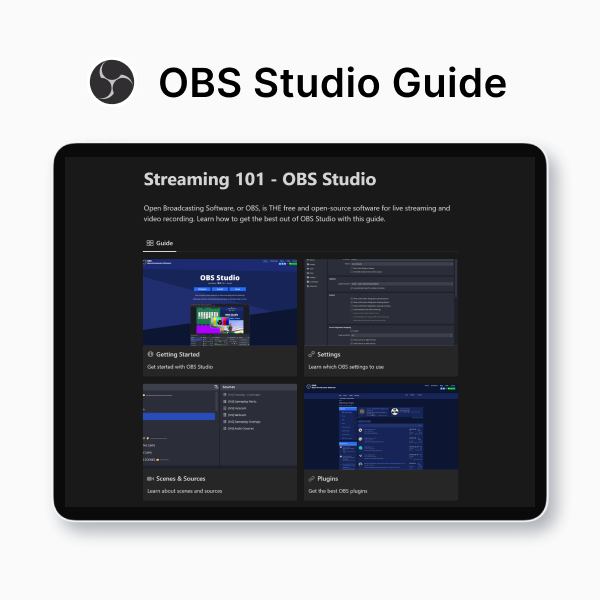
OBS Studio is the most powerful free streaming tool available — and also one of the most overwhelming to open for the first time. Dozens of panels, settings you don’t recognize, and no obvious place to start. For neurodivergent creators especially, that initial friction is often enough to put the whole thing off indefinitely.
This guide exists to remove that friction. It walks you through OBS Studio from the beginning — what everything does, what you actually need to set up, and what you can safely ignore until later. No assumed knowledge, no rushing through the important bits.
What’s inside:
Who it’s for:
This guide works best if you’re brand new to OBS or have been muddling through it without a clear foundation. It’s especially useful if you find video tutorials hard to follow at your own pace, get overwhelmed by settings-heavy software, or have started and abandoned OBS setup more than once. It’s written to be read in sections — you don’t need to do it all in one sitting.
How to use it:
The guide lives in Notion, so you can duplicate it into your own workspace and use it as a reference you return to as you build out your setup. Work through it at whatever pace feels manageable — the early sections on scenes and sources are the most important, and everything else can come when you’re ready.
Get it free on Ko-fi → Get it on Gumroad →

A neurodivergent-friendly guide to keeping your creator and streaming income safe and stress-free.
Continue Reading
Content pacing, energy-based planning, and income strategies for disabled and neurodivergent streamers.
Continue Reading
A guide to help streamers protect their privacy online and in-person, including tips for safeguarding finances, address, accounts, and physical...
Continue Reading